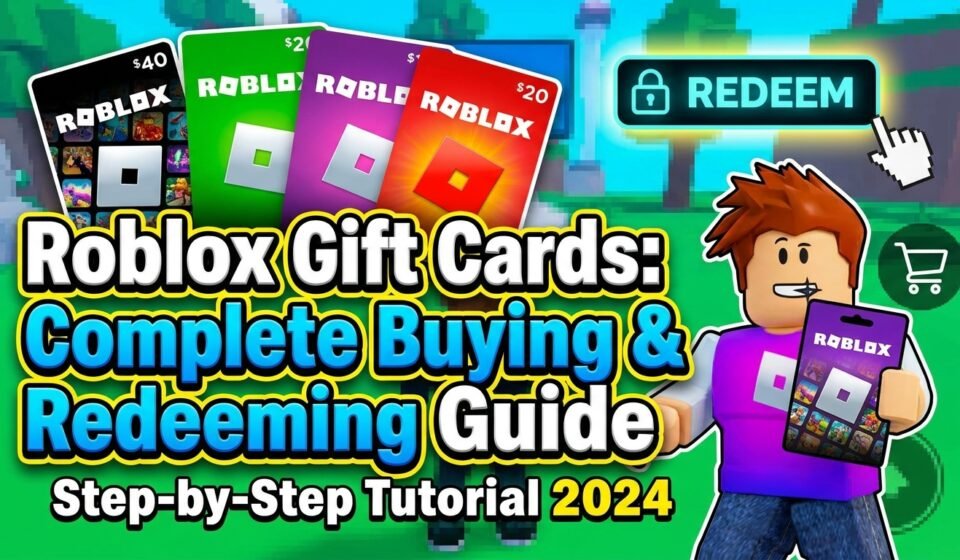

Roblox Gift Cards: The Complete Buying and Redeeming Guide (2026)
Every year without fail, at least one person in my family asks me what to get my nephew for his birthday. And every year I say the same thing: just get him a Roblox gift card. It’s the one gift I’ve never seen him disappointed by, it takes three minutes to find at any store, and it doesn’t require me to know which specific game item he’s currently obsessing over.
But here’s the thing — I’ve also watched family members buy the wrong type of card, redeem it incorrectly, or accidentally purchase a card that couldn’t be used the way they expected. My sister-in-law once bought a $25 card thinking it would add $25 to an account balance and got confused when it showed up as Robux instead of dollars.
None of this is complicated once you understand how the cards actually work. So here’s everything you need to know — whether you’re buying one as a gift or trying to figure out how to redeem the one someone gave you.
Two Types of Roblox Gift Cards (This Confuses More People Than It Should)
This is the part that trips up most first-time buyers, so let’s clear it up immediately.
There are two distinct types of Roblox gift cards:
1. Robux Gift Cards These add a specific amount of Robux (the in-game currency) directly to a Roblox account when redeemed. Common denominations are $10 (800 Robux), $25 (2,000 Robux), and $50 (4,500 Robux).
2. Roblox Credit Gift Cards These add a dollar-value credit to a Roblox account, which can then be used to buy Robux, a Premium subscription, or other purchases through the Roblox platform. Same denominations, but the credit goes to the account as a balance rather than converting directly to Robux.
Both types look similar in stores — same Roblox branding, same general design. The distinction is usually on the card itself or the packaging, but it’s easy to miss if you’re grabbing one quickly.
Which should you buy?
For a gift: the Credit card is usually more flexible, because the recipient can choose whether to buy Robux or put it toward a Premium subscription.
For a specific Robux amount: the Robux card is more direct — you know exactly how much virtual currency they’re getting.
Either works fine. Just know which one you’re picking up.
Where to Buy Roblox Gift Cards
Physical Cards (In-Store)
Physical Roblox gift cards are widely available in 2026 at:
- Walmart — usually in the gift card aisle near the registers or in the electronics section
- Target — same — gift card displays near checkout or in the gaming section
- GameStop — reliable for gaming-specific gift cards
- Best Buy — carries them in the gaming accessories area
- Amazon — physical cards available, though see the note below about digital vs physical
- Walgreens, CVS, Rite Aid — often have gift card racks with Roblox included
- Kroger, Safeway, and most major grocery chains — gift card sections near customer service
Physical cards are great for gifting because they feel like a real present — something to wrap, hand over, and open. They’re also completely safe from scams since you can see exactly what you’re buying.
One practical tip: After purchasing a physical card, take a photo of the front and back before giving it away. If the code gets scratched off accidentally or lost, having a record helps.
Digital Cards (Online)
Digital Roblox gift cards deliver a code to your email instead of a physical card. Available from:
- Roblox.com directly — the most straightforward source
- Amazon — digital delivery, code comes via email
- PayPal Digital Gifts — legitimate source for digital codes
- Target.com and Walmart.com — both offer digital delivery options
Digital cards are useful for last-minute gifts (instant delivery) and for situations where shipping a physical card isn’t practical.
Important warning about third-party digital code sellers: Stick to the major retailers listed above. Sites selling discounted Roblox codes at 50–70% off are almost always selling stolen or fraudulent codes that won’t work — or will work briefly and then get deactivated. The savings aren’t worth the risk. Buy digital codes from trusted retailers only.
How to Redeem a Roblox Gift Card — Step by Step
Redeeming is simple once you know where to go. The process is the same for both Robux cards and Credit cards.
Redeeming on a Computer (Recommended Method)
- Go to roblox.com/redeem in your browser
- Sign in to the Roblox account you want to add the card to (double-check you’re on the right account — you can’t transfer credit between accounts after redemption)
- Scratch off the silver panel on the back of the physical card to reveal the PIN code
- Enter the PIN code in the redemption field
- Click Redeem
- Confirm the credit or Robux has been added to your account
That’s it. The balance appears immediately after successful redemption.
Redeeming on the Roblox Mobile App
- Open the Roblox app on your phone or tablet
- Tap the Robux icon (the currency icon at the top of the screen) or go to your profile settings
- Look for Redeem Roblox Card — it’s in the menu options
- Enter your PIN code and confirm
Redeeming Through a Browser on Mobile
If you can’t find the redemption option in the app, just open your mobile browser (Safari or Chrome), navigate to roblox.com/redeem, sign in, and follow the same steps as the computer method. It works identically.
Roblox Premium Gift Cards — A Separate Thing Worth Knowing
Beyond Robux cards and Credit cards, Roblox also occasionally offers Premium subscription gift cards that give a specific period of Roblox Premium membership (which includes a monthly Robux stipend plus other benefits).
These aren’t as widely stocked as standard gift cards but do show up in stores and online periodically. If you’re buying for someone who plays Roblox heavily and would benefit from a Premium membership, these are worth looking for.
For most casual buyers, the standard Credit or Robux card is the right call.
Common Mistakes and How to Avoid Them
Redeeming on the wrong account This is the most painful mistake and unfortunately one of the most common. If you’re buying for your child, make sure their account is logged in before redemption — not your own account or a sibling’s account. Credit and Robux can’t be transferred after the fact.
My recommendation: sit with the child during redemption, or send them to roblox.com/redeem yourself with their account open.
Scratching the PIN code too hard The silver scratch-off panels on physical cards can be unforgiving. Scratch gently with a coin — not a key, not your fingernail. If you damage the numbers underneath, you’ll need to contact Roblox Support with proof of purchase (your receipt) to get it resolved. It’s fixable but annoying.
Buying from unofficial resellers Already mentioned above but worth repeating: discounted Roblox codes from non-major-retailer websites are almost always fraudulent. People buy legitimate cards, redeem them, then resell the already-used codes. You won’t know until your child excitedly tries to redeem it and it says “Invalid Code.”
Confusing the card type mid-gift If you’re giving a gift card and the recipient is young, include a note explaining it’s a Roblox card and where to go to redeem it (roblox.com/redeem). Sounds unnecessary but saves a lot of “how do I use this?” questions.
Buying on the mobile app with an existing card balance This one is more obscure but comes up: Roblox’s mobile app (on iOS and Android) routes purchases through Apple’s App Store and Google Play respectively. If you’ve added credit to a Roblox account via gift card, that credit is only spendable through roblox.com on a browser — not through the app. If your child tries to buy Robux through the app, it charges the device’s payment method, not the Roblox balance. Always use a browser for spending gift card credit.
How Much Robux Does Each Card Value Get You?
Here’s a quick reference for 2026 standard Robux gift card values:
| Card Value | Robux Amount |
|---|---|
| $10 | 800 Robux |
| $25 | 2,000 Robux |
| $50 | 4,500 Robux |
Note that if you apply a Credit card balance and then buy Robux through roblox.com (not the app), you get these standard exchange rates. The app stores charge slightly more per Robux due to platform fees — another reason to spend gift card balance via browser.
For context on what Robux buys: most cosmetic avatar items cost 50–300 Robux. Game passes range widely from 50 to several thousand. A $10 card gives a kid a meaningful amount to spend without breaking the bank.
Gift Card as a Parenting Tool (Genuinely Useful)
This part is specifically for parents: Roblox gift cards are one of the cleanest solutions to the “I don’t want my credit card saved on Roblox” problem.
Instead of a stored payment method that a child can charge impulsively, you give a fixed amount — $10, $25, whatever you’re comfortable with — and when it’s gone, it’s gone. No surprise charges. No “I only bought a little bit” conversations.
Monthly or birthday-based gift cards give kids a fixed Robux budget and naturally introduce the concept of spending decisions: do I buy this avatar item now, or save for that bigger game pass I want? That’s a useful real-world lesson wrapped inside a Roblox purchase.
We’ve been doing a monthly $10 card in our house for over a year. No credit card surprises. No arguments about spending limits. It just works.
What to Do If a Code Doesn’t Work
Try these steps in order:
- Re-enter the code carefully — check for O vs 0, and I vs 1 confusion
- Make sure the card hasn’t expired — most Roblox cards don’t expire, but check for a printed date
- Verify you’re on the right redemption page — roblox.com/redeem specifically
- Contact Roblox Support at en.help.roblox.com with your proof of purchase (photo of receipt + card)
Roblox Support can verify whether a code was legitimately issued and unused. If you bought from a major retailer and have your receipt, they can usually resolve it. If you bought from an unofficial source, there’s less they can do — which circles back to the “only buy from trusted retailers” advice.
The Short Version
Roblox gift cards are genuinely one of the most hassle-free gifts for kids who play the game. Know the difference between Robux cards and Credit cards. Buy from major retailers only. Redeem at roblox.com/redeem — not through the app. Scratch the PIN gently. Make sure the right account is logged in first.
That’s really all there is to it. The system is simple once you’ve been through it once, and it’s a much cleaner arrangement than leaving a credit card attached to a child’s gaming account.
Have a redemption issue that isn’t covered here? Drop it in the comments and I’ll help figure it out.