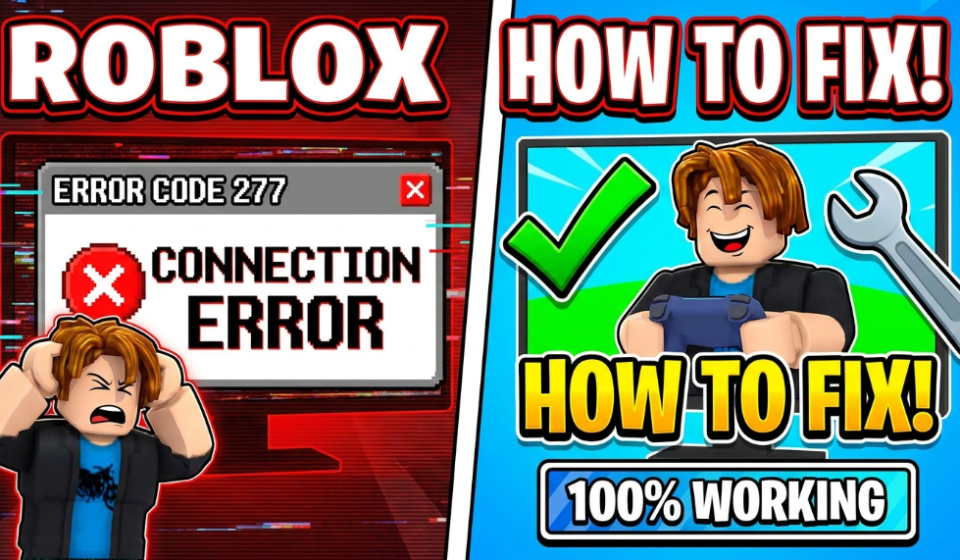

How to Fix Roblox Error Code 277 (Connection Error) — What Actually Works
There’s a specific kind of frustration that hits when you’re 45 minutes into a Roblox game, you’ve just built something or reached a new level, and then — black screen. White text. “Disconnected from the game. (Error Code: 277).”
My nephew lost an entire afternoon of Roblox progress to this error last summer. He’d been playing on an old laptop over hotel Wi-Fi, and the thing just kept kicking him out every 20–30 minutes. He thought the game was broken. His mom thought she needed to buy him a new computer. Neither of those things were true.
Error 277 is one of the most common Roblox errors, and it’s almost always fixable. The frustrating part is that it has multiple causes — and the fix that works for one person might do absolutely nothing for another. So I’m going to walk through all of them, starting with the most likely culprits.
What Is Error Code 277, Actually?
Without getting overly technical: Roblox Error 277 means the game client lost its connection to Roblox’s servers. The game was running, something interrupted the connection, and Roblox couldn’t re-establish it — so it kicked you out.
That “something” could be:
- Your internet connection hiccuped
- Your Wi-Fi signal dropped for a second
- Roblox’s own servers had a blip
- Your browser or app got confused
- A firewall or antivirus blocked something
- The game itself had a bug or server crash
The error isn’t your fault most of the time. But there are things on your end that make it more likely to happen — and those are the things we can actually fix.
Start Here: Is It Roblox’s Problem, Not Yours?
Before you change a single setting on your device, check whether Roblox itself is having issues.
Go to status.roblox.com — this is Roblox’s official status page. If you see any incidents listed there, especially anything related to game servers or connectivity, that’s your answer. Sit tight, wait it out, and check back in 30–60 minutes.
You can also check downdetector.com/status/roblox for real-time reports from other users. If hundreds of people are reporting the same issue at the same time, it’s a server-side problem and no fix on your device will help.
I’ve made the mistake of spending an hour troubleshooting my setup when Roblox was literally down. Never again.
Fix 1 — Restart Roblox the Right Way
I know this sounds too simple, but “restarting” Roblox by just closing the window and reopening it doesn’t always work. You need to make sure the process is fully killed.
On Windows:
- Press Ctrl + Shift + Esc to open Task Manager
- Look for Roblox or RobloxPlayerBeta in the list
- Right-click it → End Task
- Wait 30 seconds, then relaunch
On Mac:
- Press Cmd + Space, type Activity Monitor, open it
- Search for Roblox
- Select it and click the X button at the top to force quit
- Relaunch after 30 seconds
On mobile (iOS/Android):
- Swipe up (or double-tap Home) to see recent apps
- Swipe the Roblox card off the screen to fully close it
- Reopen from your home screen
A lot of times, especially after a crash, there’s a leftover Roblox process still running in the background that causes problems when you try to reconnect. Killing it completely resets things.
Fix 2 — Check and Reset Your Internet Connection
Error 277 is fundamentally a connection problem. Even if your internet “seems fine” — YouTube is playing, messages are going through — your connection might be flaky in a way that specifically affects Roblox.
Quick things to try:
- Move closer to your Wi-Fi router (or switch to a different network temporarily)
- Turn your Wi-Fi off and back on on the device
- Restart your router — unplug it, wait 30 seconds, plug back in
- If you’re on Wi-Fi, try switching to a wired (Ethernet) connection if possible
Roblox is more sensitive to connection instability than something like Netflix, because it’s real-time multiplayer. A streaming video can buffer and recover. A game server just drops you.
If you’re on mobile data, try toggling airplane mode on and off to reset your connection, or switch between mobile data and Wi-Fi.
One test worth doing: Run a quick speed test at fast.com or speedtest.net. You’re not just looking at download speed — look at the latency (ping) number. If ping is above 150ms, that’s likely contributing to disconnects. Anything above 200ms and you’ll probably see this error regularly.
Fix 3 — Clear the Roblox Cache
Roblox stores temporary files to help games load faster. Sometimes these cached files get corrupted or outdated, and they cause all kinds of weird problems — including connection errors.
On Windows:
- Press Windows + R to open the Run dialog
- Type
%localappdata%\Roblox\logsand press Enter - Delete all the files in that folder (the folder itself stays)
- Also navigate to
%localappdata%\Temp\Robloxand clear that out too
On Mac:
- Open Finder → Go → Go to Folder
- Type
~/Library/Caches/com.roblox.roblox - Delete the contents of that folder
On Mobile:
- iOS: Go to Settings → General → iPhone Storage → Roblox → Offload App (this clears the cache without deleting your account data)
- Android: Settings → Apps → Roblox → Storage → Clear Cache
After clearing the cache, relaunch Roblox and let it rebuild those files fresh. This alone has fixed Error 277 for a lot of people.
Fix 4 — Check Your Firewall and Antivirus
This one trips people up a lot, especially on Windows. Your antivirus or firewall might be intermittently blocking Roblox’s connection to its servers — not blocking it completely (which would prevent Roblox from loading at all), but just causing enough interference to trigger disconnects.
On Windows Defender Firewall:
- Open Start → search “Windows Defender Firewall”
- Click Allow an app or feature through Windows Defender Firewall
- Scroll down and look for Roblox in the list
- Make sure both Private and Public checkboxes are ticked
- If Roblox isn’t listed, click Allow another app and add it manually (usually found at
C:\Users\[YourName]\AppData\Local\Roblox\)
If you use a third-party antivirus like Norton, McAfee, Bitdefender, or Malwarebytes, check their settings for a “gaming mode” or whitelist option. Add Roblox as a trusted application.
I once spent two days troubleshooting Error 277 before realizing Malwarebytes’ real-time protection was silently blocking one of Roblox’s background processes. Adding Roblox to the exclusion list fixed it immediately. Frustrating to figure out, but easy to fix once you know.
Fix 5 — Reinstall the Roblox App
If you’ve been using Roblox for a while and it’s never been freshly installed, the app files might be partially broken without you knowing it. A clean reinstall often fixes stubborn connection issues.
On Windows:
- Go to Settings → Apps → Installed Apps
- Search for Roblox, click the three dots → Uninstall
- Go to
%localappdata%and delete the entire Roblox folder if it still exists - Download a fresh installer from roblox.com and install it
On Mac:
- Drag Roblox from Applications to Trash
- Use CleanMyMac or go to
~/Library/Application Support/and delete the Roblox folder manually - Reinstall from roblox.com
On Mobile:
- Press and hold the app icon → Delete/Uninstall
- Reinstall from the App Store or Google Play
Reinstalling always feels like nuclear option territory, but it solves a surprising number of issues that more targeted fixes miss.
Fix 6 — Try a Different Browser (If Using Web Version)
Some people launch Roblox through their browser instead of the desktop app. If you’re doing this, the browser itself might be causing the problem.
- Switch from Chrome to Firefox or Microsoft Edge (or vice versa) and test
- Clear your browser’s cache and cookies before trying
- Disable browser extensions — ad blockers, VPNs, and privacy extensions can all interfere with Roblox’s connection
Honestly, if you’re on PC and getting Error 277 consistently in-browser, just switch to the desktop app. It’s more stable, loads games faster, and has fewer interference issues.
Fix 7 — Turn Off Your VPN
If you have a VPN running — whether you set it up yourself or it came with a security suite — turn it off while playing Roblox.
VPNs route your traffic through different servers, which adds latency and can cause the kind of unstable connection that triggers Error 277. Roblox also sometimes flags VPN IP addresses as suspicious and drops the connection.
This includes VPNs that run silently in the background (some antivirus products like Norton 360 include a VPN that turns on automatically). Check your system tray or menu bar for any VPN icons.
Fix 8 — Update Your Network Drivers (Windows)
This one is more advanced, but worth trying if nothing else has worked.
Outdated network adapter drivers on Windows can cause intermittent connection drops that look like Roblox errors but are actually deeper system issues.
- Press Windows + X → Device Manager
- Expand Network Adapters
- Right-click your Wi-Fi or Ethernet adapter → Update Driver
- Choose Search automatically for drivers
Alternatively, go to your laptop or motherboard manufacturer’s website and download the latest network drivers directly.
A Scenario That Happens More Than You’d Think
The hotel/travel situation is worth mentioning specifically. Public Wi-Fi — in hotels, airports, coffee shops — often has “captive portals” (those pages where you have to agree to terms before getting internet access). These portals can time out and drop your connection silently while you’re in-game, causing Error 277.
If you’re gaming on public Wi-Fi and seeing this error repeatedly, there’s not much you can do except tether to your phone’s mobile data instead. It’s genuinely more stable for gaming than most hotel Wi-Fi anyway.
Mistakes That Won’t Actually Fix This
A few things that come up in forums that are mostly a waste of time:
Changing your DNS to 8.8.8.8 — This helps with some connectivity issues but rarely fixes Error 277 specifically, because it’s not usually a DNS problem.
“Flushing your DNS cache” — Same deal. Not the actual cause for most people.
Reinstalling Windows — Please don’t do this. There’s genuinely no scenario where Error 277 requires a Windows reinstall.
Buying a new router — Unless your router is ancient and causing problems across all your devices, this won’t help.
What to Do If Nothing Works
If you’ve been through every fix above and still getting Error 277 regularly, it’s time to contact Roblox support directly at roblox.com/support.
When you reach out, include:
- Your device and OS (Windows 11, iPhone 15, etc.)
- Your internet type (home Wi-Fi, mobile data, etc.)
- Whether the error happens in all games or just specific ones
- Roughly how often it happens
If it only happens in one specific game, that game might have a server-side issue that only the developer can fix — report it on that game’s page as well.
Quick Fix Checklist
Run through this in order before giving up:
- [ ] Check status.roblox.com for server outages
- [ ] Fully close and restart Roblox
- [ ] Restart your router
- [ ] Clear Roblox cache files
- [ ] Check firewall/antivirus settings
- [ ] Disable VPN if running
- [ ] Try a different network
- [ ] Reinstall Roblox
- [ ] Update network drivers (Windows)
- [ ] Contact Roblox support
Closing Thoughts
Error 277 is annoying precisely because it interrupts you at the worst moments, and the cause isn’t always obvious. But it’s one of those problems that almost always has a solution — you just have to find which one applies to your setup.
Most people get it fixed with either a router restart, clearing the cache, or sorting out an antivirus conflict. Start with the easy stuff, work your way down the list, and you’ll usually land on it within a few tries.
And if you’re on hotel Wi-Fi: just tether. Lesson learned.
Something specific that didn’t get covered here? Drop it in the comments and I’ll do my best to help.